So you’re looking to build an amazing website, are you? Fantastic! The good news is, you don’t need to be a coding wizard or hire an expensive agency to get there. Plenty of brilliant website design platforms out there are designed to help you create a professional, stunning online presence without too much fuss. This article will walk you through some of the best, focusing on those that truly deliver on their promise of helping you build something special.
Before we dive into the platforms themselves, let’s talk about what’s actually important when you’re making this decision. It’s not just about flashy templates; it’s about finding a tool that fits your current skills, future ambitions, and, crucially, your budget.
Ease of Use vs. Flexibility
Generally, there’s a trade-off here. Platforms that are incredibly simple to use might offer less customisation, while those with endless options might have a steeper learning curve. Think about where you sit on that spectrum. Are you a complete beginner who needs a hand-holding experience, or are you comfortable tinkering a bit more for a truly unique look?
Scalability for Future Growth
What are your plans for this website? Is it a simple portfolio, or do you envision it growing into an e-commerce giant or a bustling online community? Some platforms are fantastic for getting started but might become restrictive as your needs expand. It’s worth considering if your chosen platform can grow with you.
Support and Community
Let’s be honest, at some point, you’ll probably get stuck. Excellent customer support can be a lifesaver. Beyond direct support, a thriving user community means you can often find answers to common questions and even get tips and tricks from experienced users.
Pricing Models: What You Pay For
Website builders come with various pricing structures. Some offer free plans with limited features, while others are purely subscription-based. Understand what’s included in each tier – storage, bandwidth, custom domain connections, and e-commerce capabilities can all vary significantly. Don’t forget those often-hidden renewal costs!
When exploring the intricacies of website design, it’s essential to familiarise oneself with the terminology that underpins the field. A valuable resource in this regard is the article titled “Web Design Vocabulary: A Comprehensive Guide to Key Terms and Concepts,” which can be found at this link. This guide not only clarifies key concepts but also enhances your understanding of the various elements that contribute to effective web design, making it an indispensable read for both beginners and seasoned professionals alike.
Top Contenders for Outstanding Website Design
Right, let’s get down to the nitty-gritty. Here are some of the platforms that consistently impress and empower users to build fantastic websites.
Wix: The Drag-and-Drop Powerhouse
Wix is a household name for a reason. It’s incredibly user-friendly and offers an impressive amount of creative freedom, especially for those who aren’t coders. It truly excels at helping you visualise and build your site directly, rather than through complex settings.
Unparalleled Design Freedom
The drag-and-drop editor is Wix’s crown jewel. You can genuinely place anything, anywhere, on your page. This level of control means you’re not restricted to pre-defined rows or columns, allowing for some truly unique layouts. They also offer a vast library of templates, covering pretty much every industry imaginable. These templates are a great starting point, and you can customise them to your heart’s content.
Feature-Rich Ecosystem
Beyond just design, Wix has an enormous app market. Need booking functionality for your services? There’s an app for that. Want to run an email marketing campaign? You guessed it, an app for that too. This integrated ecosystem means you can add robust features to your site without faffing about with third-party integrations as much. This is a huge plus for small businesses or individuals who want a single platform to manage their online presence.
SEO Tools and Analytics
Wix has been working hard on its SEO capabilities, and it shows. They offer a comprehensive SEO wizard that walks you through optimising your site for search engines. You can easily edit meta titles, descriptions, and alt text for images. Integrating with Google Analytics is straightforward, giving you valuable insights into your website’s performance.
E-commerce Capabilities
If you’re looking to sell online, Wix Stores is a capable solution. It’s easy to set up your product catalogue, manage inventory, and process payments. While it might not have the sheer depth of a dedicated e-commerce platform like Shopify for very large stores, it’s more than sufficient for most small to medium-sized businesses looking to sell physical or digital products.
Squarespace: The Aesthetically Driven Choice
If you value stunning visuals and a sleek, modern aesthetic above all else, Squarespace is probably your best bet. Their templates are renowned for their beauty and sophistication, making them perfect for creatives, artists, photographers, and anyone who wants their website to look incredibly professional straight out of the box.
Award-Winning Templates
Squarespace’s design philosophy is built around excellent typography, impactful imagery, and clean layouts. Their templates are designed by professionals and are inherently responsive, meaning they look great on any device. While there isn’t the free-form drag-and-drop of Wix, their section-based editor gives you plenty of flexibility within a well-structured framework. This often leads to more consistently beautiful results, as it’s harder to accidentally create a messy design.
Integrated E-commerce
Much like Wix, Squarespace offers very capable e-commerce tools. Their online store functionality is well-integrated and intuitively designed. Setting up products, managing orders, and tracking sales are all straightforward. They also offer features like abandoned cart recovery and gift cards, which are excellent for boosting sales.
Robust Blogging Platform
For those who plan to regularly publish content, Squarespace provides an excellent blogging experience. The editor is clean and easy to use, and the layout of blog posts within their templates is consistently elegant. You get all the standard blogging features like tags, categories, comments, and scheduling.
Marketing and Analytics Suite
Squarespace doesn’t skimp on marketing tools. They offer built-in email campaigns, allowing you to design newsletters and send them directly from your site. Their analytics provide detailed insights into visitor behaviour, traffic sources, and conversion rates, all presented in a clear, digestible format.
WordPress.com: The Versatile Giant (Managed Hosting)
It’s important to distinguish between WordPress.com and WordPress.org. WordPress.com is the hosted version, meaning Automattic (the company behind WordPress) manages all the technical bits for you. This makes it far more accessible for beginners than the self-hosted WordPress.org, which requires more technical know-how. WordPress.com sits nicely in the middle, offering flexibility without the fuss.
User-Friendly Interface
While perhaps not as instantly intuitive as Wix or Squarespace for absolute beginners, WordPress.com has come a long way. The block editor (Gutenberg) makes content creation very visual and straightforward. For design, you choose a theme (many free, some premium), and then customise it using the theme customiser, which offers options for colours, fonts, layouts, and widgets.
Scalability and Flexibility
WordPress.com truly shines in its scalability. As your site grows, you can easily upgrade your plan to unlock more features, including plugin support (on Business plans and above). This means you can add almost any functionality you can imagine, from complex memberships to advanced SEO tools. It’s a platform that can genuinely grow with you from a simple blog to a sophisticated business website.
Extensive Theme and Plugin Library
Even on the more restricted plans, WordPress.com offers a vast array of themes. Once you move to plans that support plugins (something unique to WordPress.com among these hosted options), you gain access to literally tens of thousands of free and premium plugins that can extend your site’s functionality in almost limitless ways. This is where WordPress really sets itself apart from its competitors.
Strong Community and Support
Given its massive user base, WordPress.com benefits from an enormous community. There are countless forums, tutorials, and resources available online. Additionally, WordPress.com offers direct support, depending on your chosen plan, ranging from email to live chat.
Specialised Solutions for Specific Needs
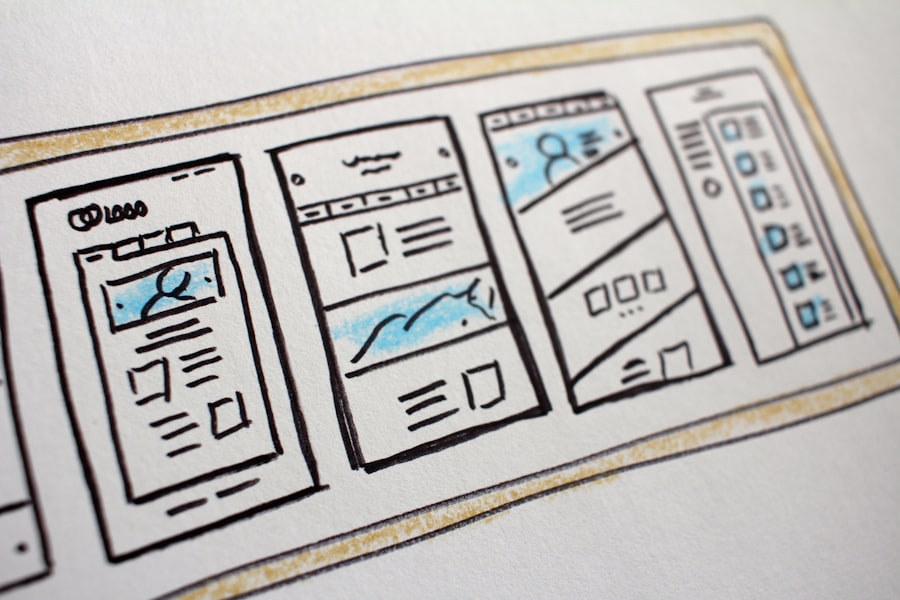
While the platforms above are great all-rounders, sometimes you have a very particular need. These next two offer excellent solutions for specific types of websites.
Shopify: The E-commerce Powerhouse
If your primary goal is to sell products online – and you mean business – then Shopify is hard to beat. It’s built from the ground up for e-commerce and offers an incredibly robust, scalable, and supportive environment for online stores.
Dedicated E-commerce Features
Shopify isn’t just a website builder with an e-commerce add-on; it IS an e-commerce platform. Everything, from inventory management to payment processing, shipping calculations, and order fulfilment, is designed for selling. You get a vast app store packed with tools to enhance your selling, marketing, and customer service. Features like automated tax calculations, gift cards, and fraud analysis come standard or are easily added.
Seamless POS Integration
For businesses with both an online and physical presence, Shopify’s Point of Sale (POS) system is a game-changer. It seamlessly integrates your online and offline sales, inventory, and customer data, providing a unified sales channel. This is particularly valuable for retailers who want to manage everything from one ecosystem.
Marketing and Analytics for Sales Growth
Shopify includes powerful tools to help you drive sales. This includes SEO features, social media integration, email marketing tools, and sophisticated analytics that tell you exactly what’s happening with your sales, customer behaviour, and conversions. They continually release new features aimed at improving a merchant’s ability to sell more.
Scalability for High-Volume Sales
From individual crafters to multi-million-pound enterprises, Shopify can handle it. Its infrastructure is built for high traffic and large product catalogues, ensuring your store remains fast and reliable even during peak sales periods. As you grow, you can upgrade your plan or add apps to gain more advanced features.
Webflow: Design Flexibility for Pros (No-Code/Low-Code)
Webflow is a bit different from the others. It’s aimed at designers who want granular control over their website’s appearance and functionality without writing code, or at least very little. It bridges the gap between traditional website builders and full-stack development.
Visual Development Environment
Webflow’s editor looks and feels a lot like design software (e.g., Photoshop or Sketch) but directly outputs clean, semantic HTML, CSS, and JavaScript. You drag and drop elements, but then you apply styles and interactions using a powerful visual interface. This means you can create truly bespoke designs and animations that would be very difficult or impossible on other drag-and-drop builders.
Advanced Animations and Interactions
This is where Webflow truly shines. You can build complex animations and interactions directly within the designer, without touching a line of code. From subtle hover effects to intricate scroll-based animations, Webflow empowers designers to bring their visions to life in a dynamic way. This often results in a more engaging and memorable user experience.
Flexible CMS
Webflow’s Content Management System (CMS) is incredibly flexible. Unlike other platforms where the CMS is often pre-defined, in Webflow, you design your own content structures. This allows you to create highly customised blogs, portfolios, e-commerce product pages, and dynamic content without limitations, making it ideal for sites with unique content requirements.
Clean Code and SEO Benefits
Because Webflow generates clean, semantic code, it’s generally excellent for SEO. Search engines prefer well-structured code, and Webflow delivers. You have full control over meta titles, descriptions, canonical tags, and structured data, giving you all the tools needed to optimise your site for search visibility.
Getting Started: Practical Steps

Alright, you’ve got a better idea of the platforms. Now, how do you actually get cracking with your own website?
Define Your Purpose and Audience
Before even looking at templates, ask yourself: what is the website for? Who are you trying to reach? A clear purpose and a defined audience will guide all your design and content decisions. Are you selling hats, showcasing your art, or providing local service information?
Outline Your Content
What information do you need to convey? Create a sitemap (a simple list of pages like Home, About, Services, Contact) and then list the key content elements for each page. This helps you choose the right template and ensures you don’t miss anything important.
Gather Your Assets
Start collecting your photos, logos, written text, videos, and anything else you want to include on your site. Having these ready will make the building process much smoother and faster. Don’t worry about perfection at this stage, just get the raw materials together.
Experiment with Free Trials
Nearly all reputable website builders offer a free trial. Use them! Try out a couple of platforms that sound appealing. Don’t commit until you’ve spent some time in the editor, tried customising a template, and got a feel for how it works. This hands-on experience is invaluable.
Don’t Obsess Over Perfection (Initially)
It’s easy to get stuck trying to make every single pixel perfect before launching. Get a solid, working version of your site up first. You can always iterate and refine it later. The sooner your site is live, the sooner it can start working for you.
In the ever-evolving landscape of website design, staying updated with the latest trends is crucial for creating engaging user experiences. A particularly insightful article on this topic can be found at Revolutionizing the Web: The Latest Trends in Web Development, which explores innovative approaches that are shaping the future of web design. By understanding these trends, designers can enhance their skills and ensure their websites remain relevant and appealing to users.
Final Thoughts on Your Online Presence
| Website Design Websites | Metrics |
|---|---|
| Number of Pages | 10-50 pages |
| Load Time | 2-5 seconds |
| Mobile Responsiveness | Yes |
| SEO Integration | Optimised for search engines |
| Visual Appeal | Modern and professional |
Creating a stunning online presence doesn’t have to be a bewildering or frustrating experience. With the right tools and a clear vision, you can build a website that truly reflects your brand or personal style. Each of these platforms offers unique strengths, so take the time to evaluate which one aligns best with your specific needs, skill level, and long-term goals. The web is your oyster – go forth and build something brilliant!