So, what’s the big deal with UI/UX design? In a nutshell, it’s all about making digital products – think websites, apps, software – that are not only easy to use but also enjoyable to interact with. It’s the invisible hand that guides you through a website, makes that app feel intuitive, and ultimately, leaves you feeling good about your experience. It’s less about flashy graphics and more about thoughtful problem-solving that puts the user at the very centre of everything.
When we talk about UI/UX design, we’re actually discussing two intertwined but distinct disciplines. Getting a handle on their differences is the first step to appreciating their combined power.
User Interface (UI) Design: The Look and Feel
UI design is what you see and interact with directly. It’s the buttons you click, the menus you navigate, the colours and fonts that make up the visual landscape of a digital product. Good UI is about clarity, consistency, and visual hierarchy. It’s about making sure that when you look at a screen, you immediately understand where to go and what to do. It’s the packaging and presentation, ensuring everything is aesthetically pleasing and easy to grasp.
Key Elements of Effective UI
- Visual Design: This encompasses the aesthetics – colours, typography, imagery, and layout. It’s about creating a mood, a brand identity, and ensuring visual harmony.
- Layout & Spacing: How elements are arranged on the screen and the white space around them is crucial. Good spacing reduces clutter and guides the user’s eye.
- Interactive Elements: Buttons, forms, sliders, and other elements that users click or tap need to be clearly identifiable and responsive. Their behaviour should be predictable.
- Consistency: Using the same design patterns, colours, and typography throughout a product creates familiarity and reduces cognitive load for the user. Think of how consistent the “back” button looks across different websites.
User Experience (UX) Design: The Journey
UX design, on the other hand, is about the overall feeling and experience a user has when interacting with a product. It’s the entire journey, from the moment they first encounter your product to their last interaction. Is it efficient? Is it satisfying? Does it solve their problem effectively? UX is about understanding user needs and behaviours and designing a product that meets those needs in the most optimal way.
The Pillars of Good UX
- Usability: This is foundational. Can users achieve their goals efficiently, effectively, and with satisfaction? It’s about whether the product is easy to learn and use.
- Accessibility: Can people with disabilities use the product? This includes considerations for visual impairments, motor difficulties, and cognitive differences. It’s about inclusivity.
- Desirability: Does the user want to use the product? This goes beyond mere functionality and touches on emotional design, brand perception, and overall enjoyment.
- Findability: Can users easily locate the information or features they need? This relates to navigation, site structure, and search functionality.
For those interested in the evolving landscape of UI/UX design, a related article titled “Revolutionising the Web: The Latest Trends in Web Development” provides valuable insights into contemporary practices and innovations in the field. This piece explores how emerging technologies and design philosophies are shaping user experiences and interfaces. You can read the article [here](https://webdesignbuddy.co.uk/Community/2024/01/27/revolutionizing-the-web-the-latest-trends-in-web-development/).
The Design Process: Building from the Ground Up
Crafting a seamless UI/UX isn’t a random act; it’s a structured process that involves understanding, planning, and iteration. It’s less of an artistic whim and more of a methodical approach to solving human-centred problems.
Research and Discovery: Knowing Your User
Before a single pixel is placed or a line of code is written, understanding the target audience is paramount. This is where the real detective work begins.
Understanding User Needs and Goals
- User Personas: Creating fictional representations of your ideal users based on research. These personas detail their demographics, motivations, pain points, and behaviours.
- User Journeys: Mapping out the steps a user takes to achieve a specific goal with your product. This highlights potential friction points and opportunities for improvement.
- Competitive Analysis: Examining what other products in the market are doing well (and not so well) to gain insights and identify opportunities for differentiation.
- Surveys and Interviews: Directly gathering feedback from potential or existing users to understand their perspectives and challenges.
Information Architecture and Wireframing: The Blueprint
Once you understand who you’re designing for, you need to structure the content and lay out the basic framework of the digital product.
Structuring Content Logically
- Sitemaps: Visual representations of the hierarchical structure of a website or application, showing how pages and sections are organised.
- Navigation Design: Creating intuitive and easy-to-follow navigation systems that allow users to move around the product effortlessly.
- Content Prioritisation: Deciding what information is most important and how it should be presented to the user.
From Concept to Sketch
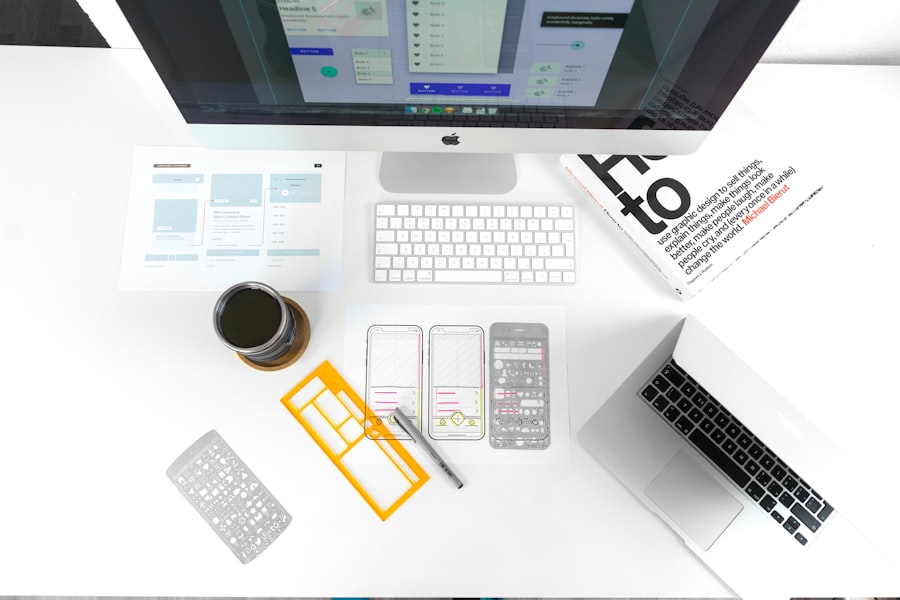
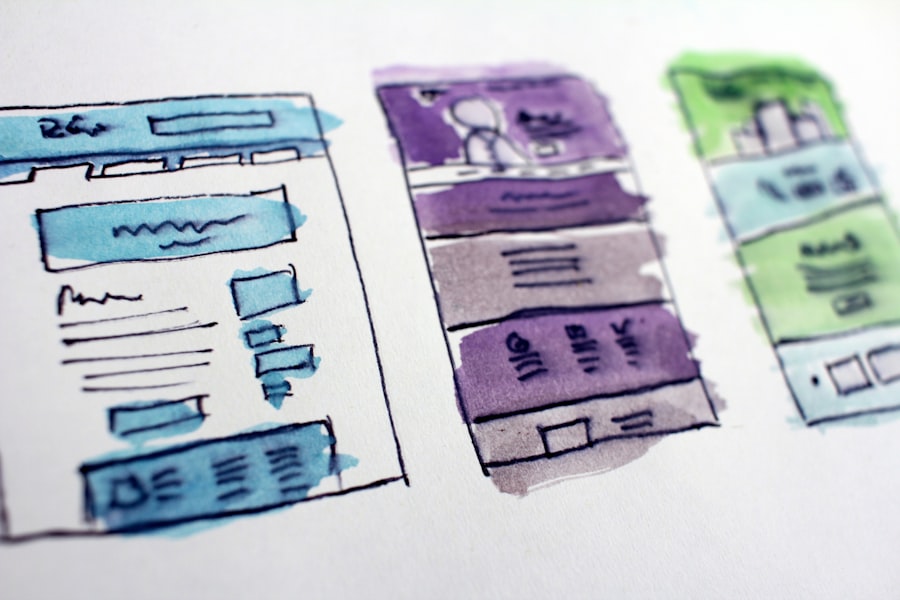
- Wireframes: Low-fidelity, schematic diagrams that outline the basic layout and structure of a digital product. They focus on functionality and content placement, not visual design.
- Prototypes: Interactive, albeit often basic, versions of the product that allow for testing of the user flow and core interactions before full development.
Visual Design and Prototyping: Bringing it to Life
With the foundational structure in place, the focus shifts to the visual elements and creating interactive models that simulate the final product.
Crafting the Visual Identity
This is where UI design truly shines, transforming wireframes into engaging and branded interfaces.
The Impact of Visual Choices
- Colour Palettes: Choosing colours that evoke the desired emotions, align with brand identity, and ensure readability. Contrast is key for accessibility.
- Typography Selection: Selecting fonts that are legible, convey the right tone, and work well across different screen sizes.
- Iconography: Designing clear and universally understood icons that represent actions or information.
- Imagery and Visuals: Using high-quality and relevant images or illustrations that enhance the user experience and reinforce the brand.
Interactive Mockups and User Testing
Prototyping allows for a more realistic simulation of the user experience, enabling valuable feedback before costly development.
Testing and Refining the Experience
- High-Fidelity Prototypes: Detailed, interactive mockups that closely resemble the final product, allowing for realistic user testing.
- Usability Testing: Observing real users interacting with prototypes to identify areas of confusion, frustration, or inefficiency.
- Iterative Design: Using feedback from usability testing to make improvements and refine the design in cycles. This is a continuous loop.
The Role of Feedback and Iteration: Continuous Improvement
The art of UI/UX design isn’t about arriving at a perfect solution on the first try. It’s a dynamic process of learning, adapting, and refining based on real-world user behaviour.
Gathering and Acting on Feedback
Directly hearing from users is invaluable. This isn’t about politely nodding; it’s about actively seeking out what works and what doesn’t.
Types of Feedback Mechanisms
- User Interviews: In-depth conversations to understand user motivations, pain points, and overall sentiment.
- Surveys and Questionnaires: Collecting quantitative and qualitative data on specific aspects of the user experience.
- Analytics Data: Tracking user behaviour within the live product – what pages are visited, where do users drop off, what features are used most?
- A/B Testing: Presenting different versions of a design element to different user segments to see which performs better in achieving a specific goal.
The Power of Iteration
Design is not a destination; it’s a journey. Each piece of feedback is an opportunity to make the product better.
Embracing the Evolutionary Nature of Design
- Agile Methodologies: Incorporating design into development sprints, allowing for rapid iteration and adaptation.
- Design Sprints: Short, focused periods of time (typically 5 days) dedicated to solving specific design challenges and testing solutions.
- Continuous Optimisation: Even after launch, the process of refinement continues. User needs evolve, technology advances, and there’s always room for improvement.
In the realm of UI/UX design, understanding how to effectively implement structured data can significantly enhance user experience and search visibility. A valuable resource on this topic can be found in an article that discusses the integration of schema with practical code examples. For those interested in exploring this further, you can read about it here. This guide not only provides insights into schema implementation but also highlights its benefits for improving overall design effectiveness.
Beyond Aesthetics: The Business Impact of Good Design
| Metrics | Data |
|---|---|
| Conversion Rate | 15% |
| User Satisfaction | 8.5/10 |
| Page Load Time | 2.5 seconds |
| Task Success Rate | 90% |
It’s easy to get caught up in the visual appeal of UI/UX, but its impact extends far beyond making things look pretty. Effective design directly contributes to the success of a digital product and, by extension, the business behind it.
Optimising for Conversion and Engagement
This is where the rubber meets the road from a business perspective. Good UI/UX isn’t just about user satisfaction; it’s about driving desired user actions.
How Design Drives Business Goals
- Increased Conversion Rates: A well-designed checkout process or lead generation form can significantly boost sales and sign-ups. If it’s confusing, people leave.
- Improved Customer Retention: When users have positive experiences, they are more likely to return to your product or service. Frustration breeds abandonment.
- Reduced Support Costs: Intuitive designs require less explanation and fewer customer service inquiries, saving resources.
- Enhanced Brand Perception: A polished and user-friendly digital presence builds trust and credibility for your brand. People want to associate with quality.
The Long-Term Payoff
Investing in good UI/UX design isn’t a cost; it’s an investment with significant returns over time.
Sustained Growth Through User-Centricity
- Competitive Advantage: In a crowded digital landscape, superior user experience can be the key differentiator that sets your product apart.
- Customer Loyalty: Happy users become advocates, spreading positive word-of-mouth and contributing to organic growth.
- Scalability: A well-architected and user-friendly product is easier to adapt and scale as user needs and business demands grow.
- Innovation: A deep understanding of user needs, fostered through UX research, can spark ideas for innovative new features and solutions.
Ultimately, the art of UI/UX design is about creating digital products that feel effortless, even when they’re complex. It’s about empathy, problem-solving, and a relentless focus on making the user’s life easier and more enjoyable. When done well, it’s so seamless you barely notice it, which is precisely the point.